
See ZuboChat in action
A quick tour of the screens you'll use every day. It runs in any browser, on your computer or your phone, with nothing to install.
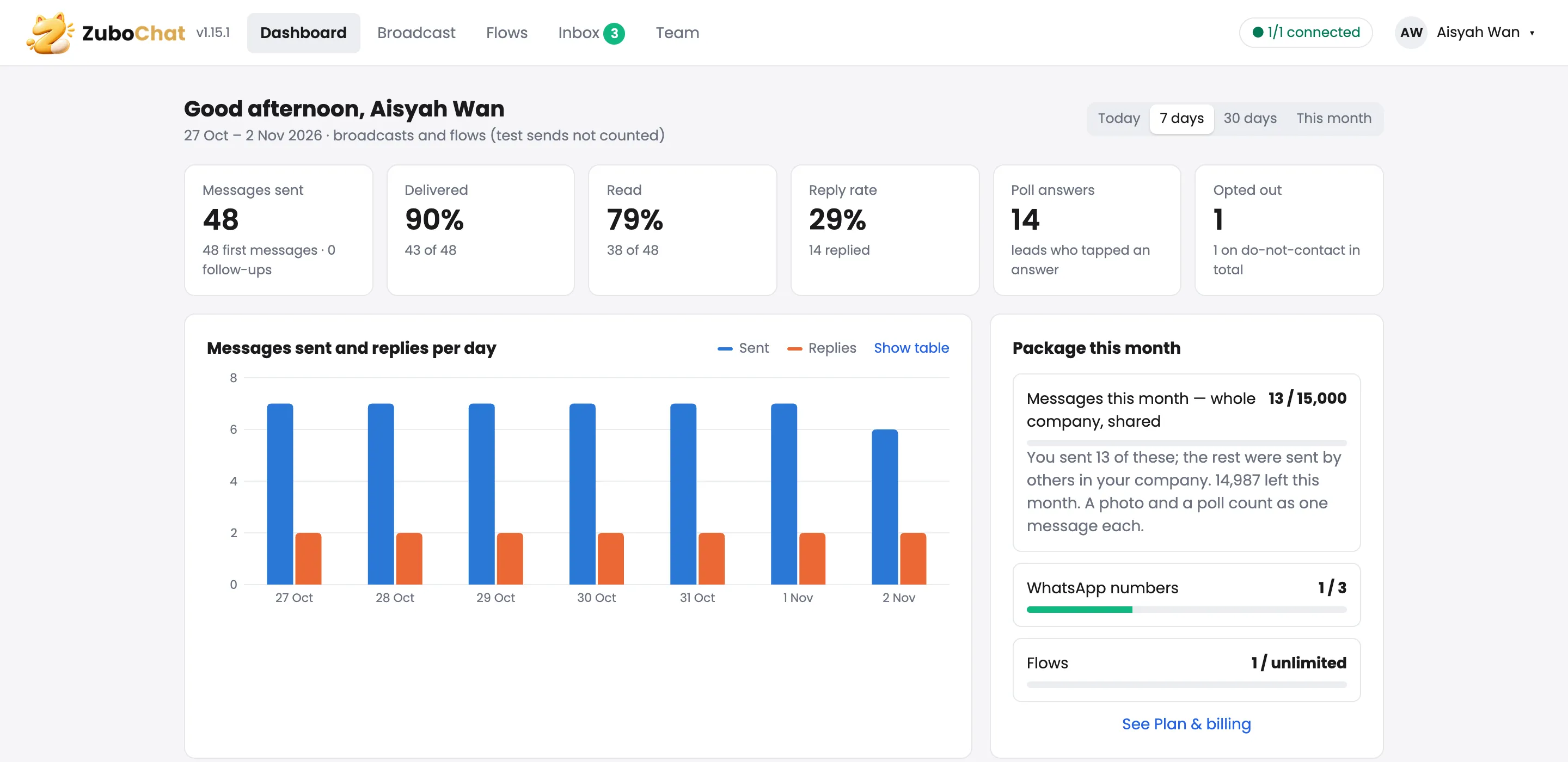
Know how your outreach is going in five seconds
Messages sent, delivered, read and replied for today, the week or the month. Running broadcasts and your WhatsApp numbers are right below.
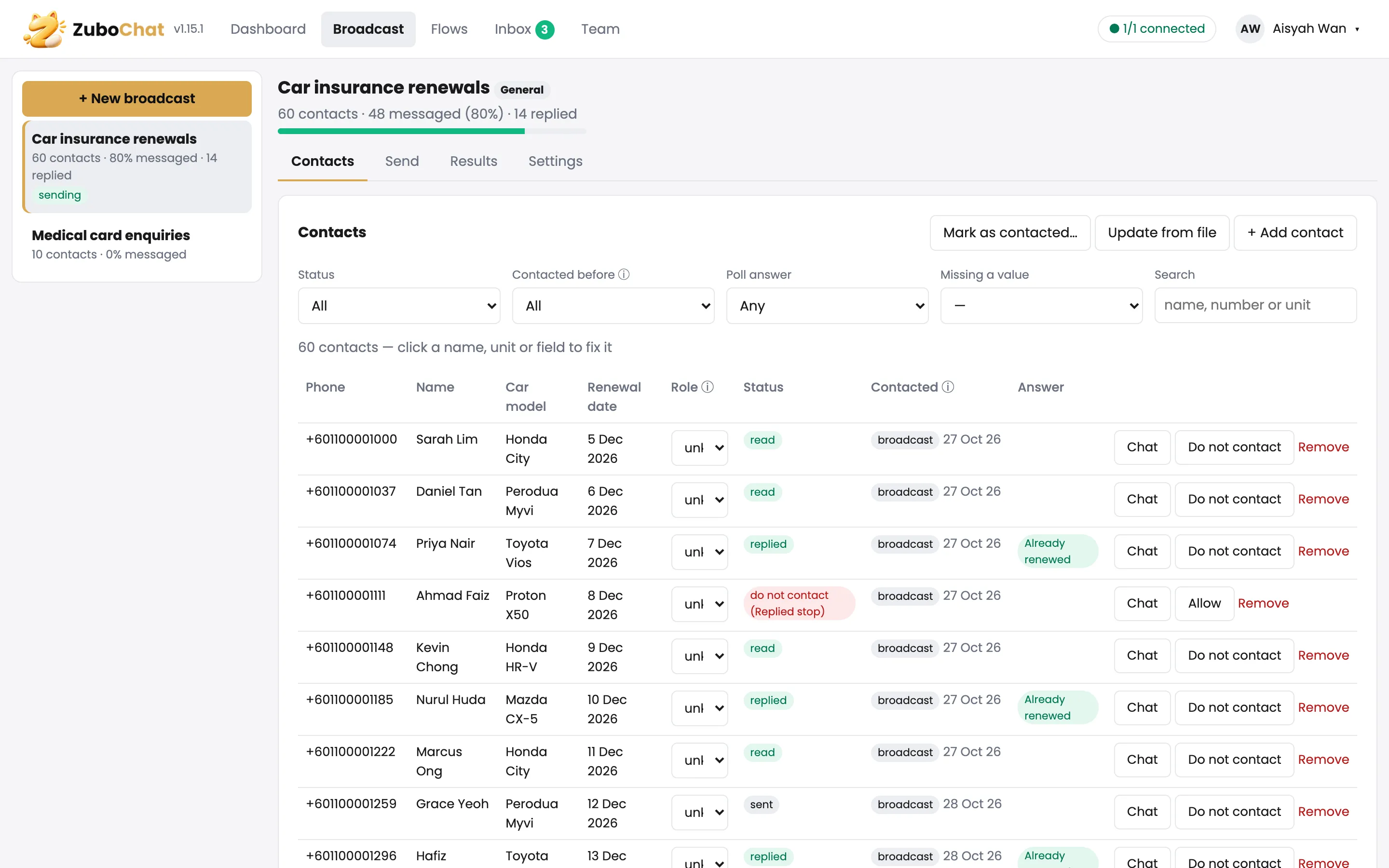
Your customer list, with every answer next to it
See who was messaged, who read it and who replied, plus their poll answer. Filter by answer to get your hot leads, or mark anyone as do-not-contact.
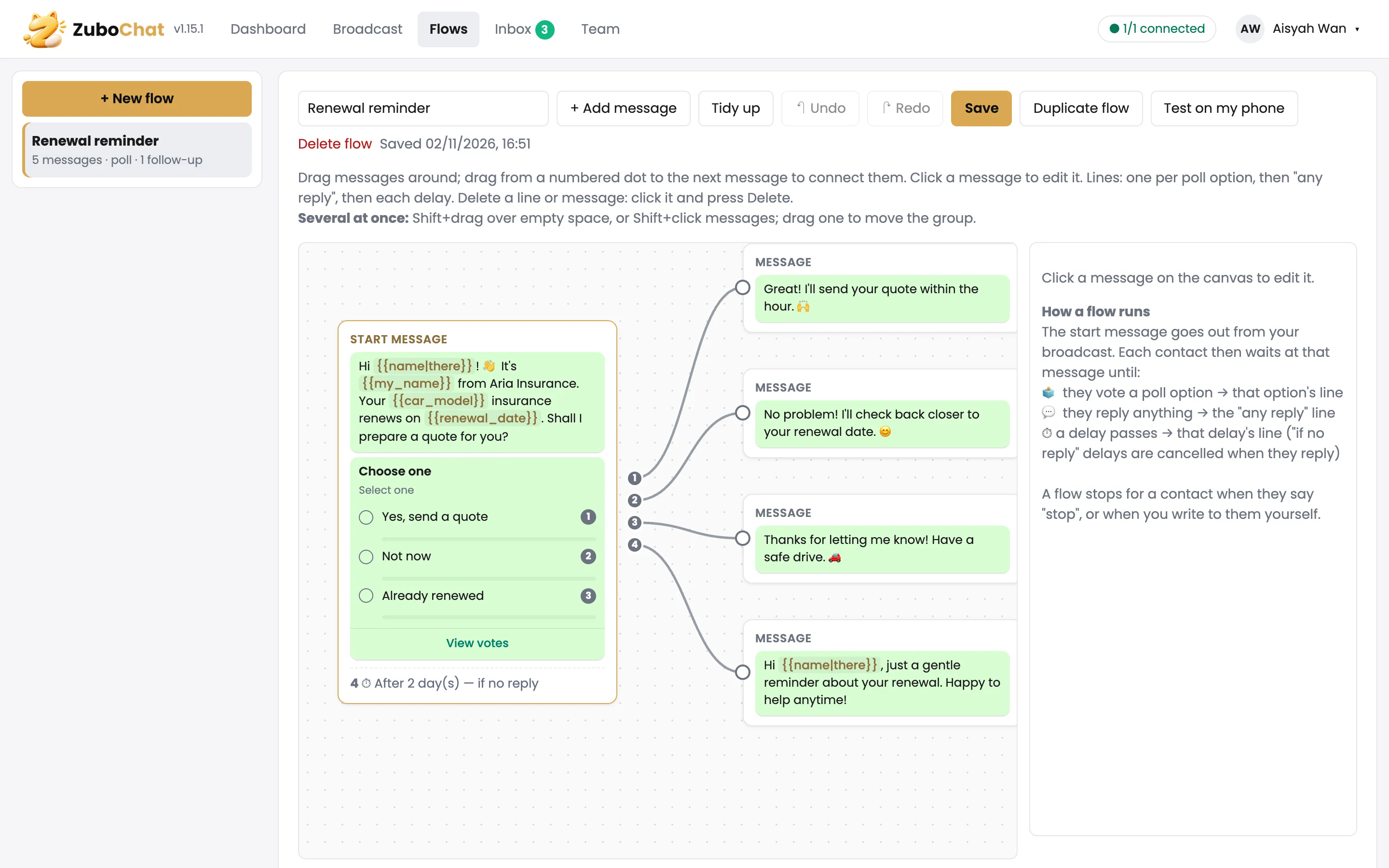
Plan the whole conversation on one map
Start with a message and a poll, then connect a reply to each answer and a reminder for anyone who stays quiet. Click a message to change it.
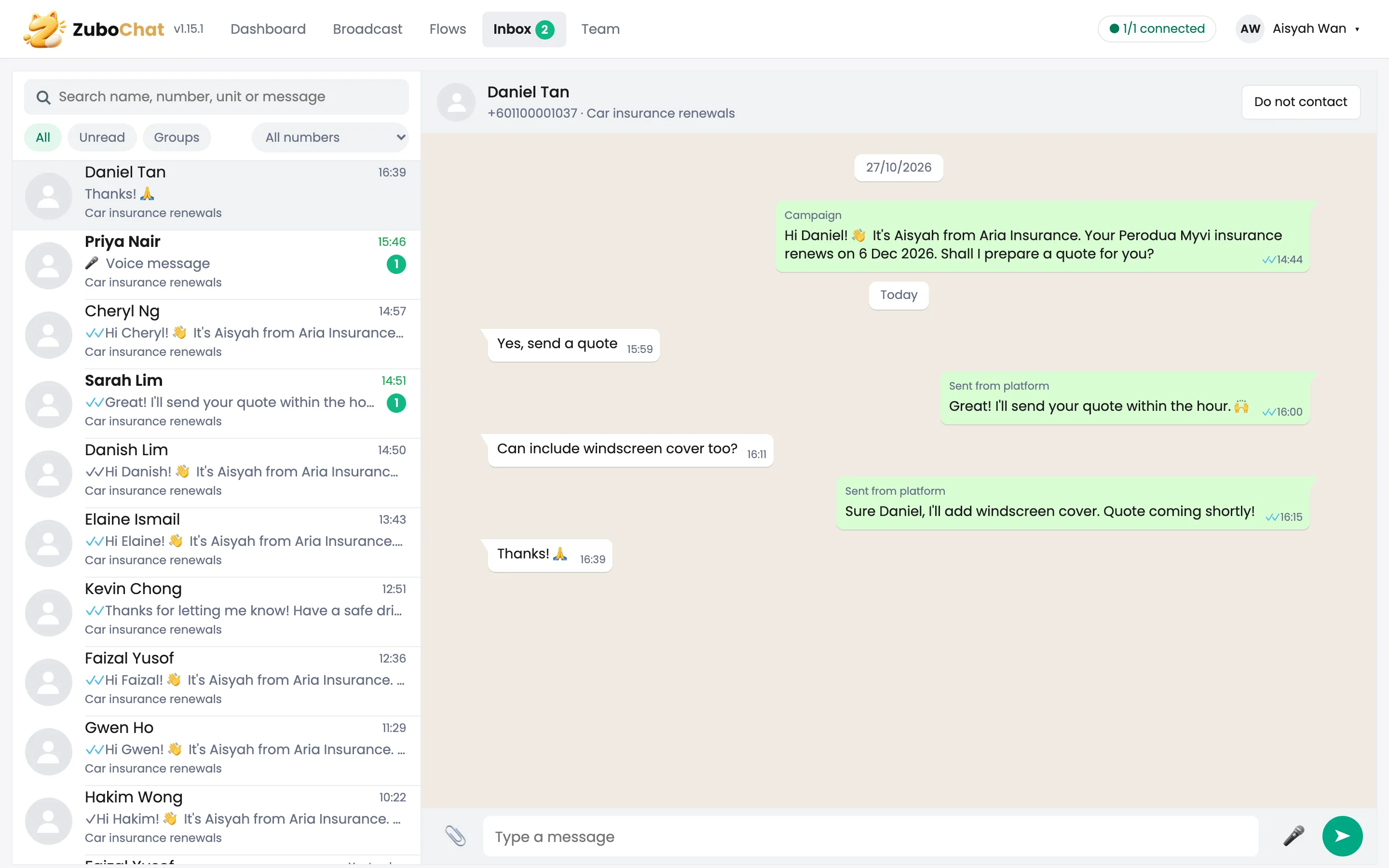
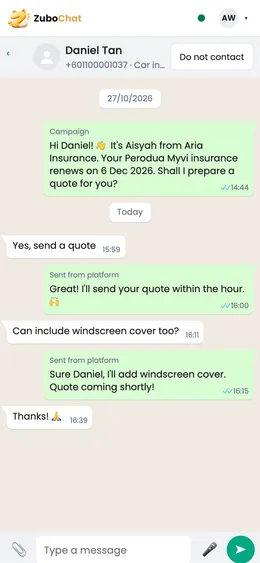
Reply to everyone from one inbox
Every chat in one list, like WhatsApp on your computer. Broadcast messages and your replies sit in the same conversation, so you always know what was said.
The full app in your pocket
Open ZuboChat in your phone's browser and everything is there: reply to chats, check today's numbers and pause a broadcast, wherever you are.
Log in to the app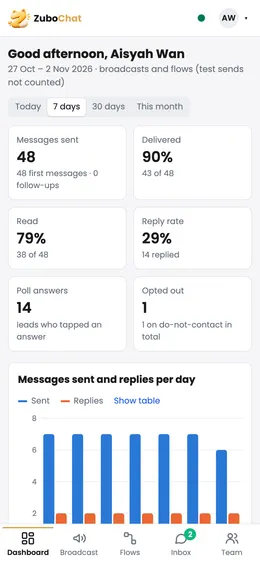
Screens show a made-up example company. Your own account starts empty and fills with your contacts and chats.
Ready to reach your customers?
Tell us about your business. We'll set up ZuboChat with you and send your first broadcast together.